
How to Create Viral AI-Generated UGC Ads in Minutes - Step‑by‑Step Guide
Learn to produce high‑converting user‑generated‑content video ads using AI tools only. This guide walks you through product research, script creation, AI actor selection, video generation, and scaling in Facebook Ads—all in under 30 minutes.
Learn how to create viral ai-generated ugc ads in minutes - step‑by‑step guide. Learn to produce high‑converting user‑generated‑content video ads using AI tools only. This guide walks you through product research, script creation, AI actor selection, video generation, and scaling in Facebook Ads—all in under 30 minutes. This comprehensive guide will walk you through everything you need to know, from the materials and tools required to detailed step-by-step instructions. Whether you're a intermediate, this guide has you covered.
What You'll Need
Materials
- Product information sheet(1)
Contains product name, key ingredients, benefits, and any USP bullet points
Where to find: Export from your e‑commerce platform or copy from the brand website
- Competitor ad videos(2–3)
Used for hook inspiration and script structure
Where to find: Facebook Ads Library, YouTube, or TikTok
- Arc Ads subscription(1 month)
Platform for AI actors, speech‑to‑speech, and video generation
Where to find: https://arcads.io
Cost: $49.00
- Google Gemini access(1 account)
Transcribes competitor videos into text
Where to find: Google Cloud Marketplace
- Claude AI account(1)
Generates polished ad copy from raw transcripts
Where to find: https://claude.ai
Cost: $20.00
- Microphone (optional)(1)(Optional)
For recording your own speech‑to‑speech voice if preferred
Where to find: Amazon, Best Buy
Cost: $30.00
- Facebook Ads Manager access(1)
To upload, test, and scale the final video
Where to find: Business.facebook.com
Tools
- Arc Ads platform
Creates AI actors, records speech, and renders final video
Alternatives: Synthesia.io, RunwayML
- Google Gemini
Extracts verbatim transcripts from competitor videos
Alternatives: OpenAI Whisper, Otter.ai
- Claude AI
Refines raw transcripts into persuasive ad copy
Alternatives: ChatGPT, Jasper
- Facebook Ads Manager
Sets up prospecting and scale campaigns, monitors performance
Alternatives: Meta Business Suite
- Video editing software (optional)(Optional)
For minor tweaks after AI generation
Alternatives: DaVinci Resolve, Adobe Premiere Rush
Step-by-Step Instructions
Gather Product Details and Competitor Hooks
Collect the product’s key specs and download 2‑3 high‑performing competitor ads.
Start by opening the product page of the item you want to promote—e.g., Kylie Cosmetics Face Moisturizer. Copy the headline, ingredient list, benefit statements, and any customer reviews. Next, head to the Facebook Ads Library and locate ads from brands a tier above yours (such as Native or Lei). Download the video files or record their screens. These competitor ads serve two purposes: they reveal proven hook structures (like “I’ve been seeing this everywhere”) and give you a template for pacing, visual style, and call‑to‑action. By having both the product data and competitor hooks in one folder, you streamline the later AI prompting steps and ensure the script stays product‑specific while leveraging proven psychology. This preparation typically takes 5‑7 minutes.
7 minutes
Tips:
- Save all files in a dedicated ‘AI‑UGC Project’ folder
- Rename videos with clear titles like ‘Native_Hook1.mp4’
Warnings:
- Do not use copyrighted footage without permission; stick to publicly available ads
Transcribe Competitor Ads with Gemini
Upload each competitor video to Gemini and request a word‑for‑word transcript.
Log into your Google Gemini account and click the ‘Upload’ button for each competitor video you saved. Use a prompt such as “Give me the full transcript for this video, word for word.” Gemini’s speech‑recognition model will return a clean text file that captures every spoken line, filler word, and pause. Export these transcripts as .txt files and place them alongside your product sheet. Having exact transcripts is crucial because they preserve the rhythm and tone that made the original ads successful. You’ll later feed these into Claude to blend the hook style with your product’s unique selling points. The transcription process usually takes 1‑2 minutes per video, depending on length.
4 minutes
Tips:
- Check the transcript for any mis‑heard words; correct obvious errors before the next step
Warnings:
- Large files may exceed Gemini’s free quota; consider splitting long videos
Generate a Polished Script with Claude
Feed the product info, reviews, and competitor transcripts into Claude to create a custom ad script.
Open Claude and start a new conversation. Paste a prompt that includes: (a) a brief description of your product (including key ingredients like shea butter and sodium hyaluronate), (b) three real customer reviews, (c) the two competitor transcripts you just generated, and (d) a clear instruction that you need a UGC‑style script that feels natural and includes a strong hook. Claude excels at copywriting, so it will merge the hook patterns with your product specifics, delivering multiple script variations. Review the output and select the version with the most compelling opening line—typically something like “I’ve been seeing this moisturizer everywhere and finally tried it.” This step transforms raw data into a persuasive narrative ready for voice‑over. Expect 2‑3 minutes for Claude to respond, then another minute to edit for brand voice.
5 minutes
Tips:
- Ask Claude for at least three variations; you’ll have backup options for testing
Warnings:
- Avoid overly technical language; keep the tone conversational
Record Your Voice or Use Speech‑to‑Speech in Arc Ads
Upload the chosen script to Arc Ads and either record your own voice or select a synthetic voice.
Navigate to Arc Ads and create a new project. Click ‘Add Script’ and paste the final script. You have two options: (1) Record your own voice using the built‑in recorder (or an external mic) for a personal touch, or (2) use the speech‑to‑speech feature to generate a natural‑sounding voice. Sam recommends speech‑to‑speech because modern models capture nuanced intonation and can be swapped instantly for A/B testing. If you choose to record, speak clearly, matching the pacing you heard in the competitor ads. Once the audio is attached, Arc Ads will sync it with the visual template you’ll select in the next step. This process usually takes 3‑4 minutes.
4 minutes
Tips:
- Do a quick test recording to ensure volume levels are consistent
- If using speech‑to‑speech, preview multiple voice options before settling
Warnings:
- Avoid background noise if recording manually; it can degrade AI lip‑sync quality
Select AI Actors and Configure Visual Settings
Filter for a female actor with clear skin, then preview voice and visual match.
In Arc Ads’ actor library, apply filters: gender = female, age = 18‑30, skin tone = clear/high‑light. Browse thumbnails and click the heart icon on candidates that visually match your brand’s aesthetic. After shortlisting 4‑5 actors, click each to listen to their synthetic voice sample. Choose the one whose tone feels authentic for a skincare UGC piece—often a friendly, upbeat voice with slight enthusiasm. Once selected, Arc Ads will automatically generate a realistic face, apply lighting that highlights skin texture, and sync the audio to lip movements. This AI‑actor step replaces costly casting calls and ensures you have a consistent look across multiple ad variations. Expect 5‑6 minutes for selection and preview.
6 minutes
Tips:
- Prioritize actors with subtle facial expressions; exaggerated smiles can look fake
Warnings:
- Do not select actors that resemble real celebrities to avoid policy violations
Generate the Final Video and Create Variations
Click ‘Generate’ to render the video, then use the ‘Remix’ feature for additional actor or audio swaps.
After confirming script, audio, and actor, hit the ‘Generate’ button. Arc Ads will consume one credit and render a high‑definition video (usually 15‑30 seconds). While the video processes, you can explore the beta ‘Scenes’ feature: upload a custom background image (e.g., a stylized bathroom) and prompt the AI to place the actor in that setting. Once the first version finishes, use the three‑dot menu → ‘Remix’ to swap the actor or replace the speech‑to‑speech audio with a new recording, creating instant variations without re‑doing the entire workflow. This capability lets you produce 4‑6 ad creatives in the time it would traditionally take to shoot one. Rendering typically takes 2‑3 minutes per version.
8 minutes
Tips:
- Save each variation with a descriptive filename like ‘UGC_Sandra_V1.mp4’
Warnings:
- Monitor credit usage; each remix consumes an additional credit
Upload to Facebook Ads Manager and Scale
Create a prospecting campaign, add each video as a separate ad set pack, then push winners to a scale campaign.
Open Facebook Ads Manager and start a new Campaign Objective = Conversions. Name the campaign ‘Prospecting – AI UGC’. Within the campaign, create an Ad Set called ‘Pack 1’ and upload the first video. Duplicate the ad set for each additional variation, naming them ‘Pack 2’, ‘Pack 3’, etc. Set the budget to a modest daily amount (e.g., $20) and use broad targeting with Advantage + Placement enabled. After 24‑48 hours, identify the top‑performing pack based on CPA or ROAS. Duplicate that winning ad into a new ‘Scale’ campaign with a higher budget, broader audience, and a conversion‑optimized bidding strategy (e.g., ‘Maximize Conversions’). Continue remixing winning scripts in Arc Ads to feed fresh variations into the prospecting packs, creating a perpetual testing loop. This structured approach ensures you’re always scaling the most effective creative while maintaining a pipeline of new assets.
10 minutes
Tips:
- Label ad sets with iteration numbers for easy reporting
- Exclude audiences that have already converted to avoid ad fatigue
Warnings:
- Never exceed Facebook’s policy on synthetic media without proper disclosure
Conclusion
You've now learned how to create viral ai-generated ugc ads in minutes - step‑by‑step guide! By following these 7 detailed steps, you should be able to successfully complete this task. Remember to use clear, benefit‑focused language in the hook to capture attention within the first 3 seconds. If you encounter any issues, refer back to the troubleshooting section above.
Common Mistakes to Avoid
❌ Choosing an actor that looks too polished or celebrity‑like
✅ Filter for natural lighting and realistic skin texture; avoid recognizable faces to stay within platform policies
❌ Using overly technical product jargon in the script
✅ Focus on simple, relatable benefits (e.g., ‘soft skin after one use’) and let the AI simplify complex terms
❌ Uploading all variations into a single ad set, causing algorithmic cannibalization
✅ Separate each variation into its own ‘pack’ or ad set so Facebook can evaluate performance independently
Troubleshooting
Problem: Arc Ads video renders with mismatched lip‑sync
Solution: Re‑record the speech‑to‑speech audio with a slightly slower pace or adjust the script timing in the Arc Ads editor
Problem: Claude returns a script that feels too generic
Solution: Add a more detailed prompt specifying tone (e.g., ‘friendly, teenage skincare enthusiast’) and include example lines from competitor ads
Problem: Facebook rejects the ad for ‘synthetic media’ policy
Solution: Add a disclaimer overlay stating ‘AI‑generated content’ or switch to a less realistic actor to meet policy thresholds
Frequently Asked Questions
Do I need a paid Arc Ads subscription to create these videos?
Yes, the free tier is limited to a few renders; a monthly plan unlocks unlimited credits and the remix feature essential for scaling.
Can I use this workflow for products other than skincare?
Absolutely. The same steps apply to any consumer product—just adjust the hook and benefit language to match the category.
How many credits does a typical ad variation cost?
One credit per render; remixing (changing actor or audio) consumes an additional credit, so plan for 2‑3 credits per final variation.
Is it legal to use AI‑generated faces that resemble real people?
Avoid using faces that are recognizably similar to actual individuals; use the platform’s ‘non‑celebrity’ filters to stay compliant with advertising policies.
What if my script exceeds the character limit for speech‑to‑speech?
Break the script into two short clips, generate each separately, and then stitch them together in a simple video editor before uploading to Facebook.
Quick Info
- Difficulty
- Intermediate
- Time Required
- 30 minutes
- Estimated Cost
- $99.00 USD
- Category
- Business & Finance
Safety First
- •Never share personal credit card information in unsecured chat windows
- •Ensure your microphone setup does not pick up background conversations
- •Respect copyright when downloading competitor ads—use only publicly available content
- •Follow platform disclosure rules for AI‑generated media
- •Keep your computer’s antivirus up to date when downloading software
Pro Tips
- •Use clear, benefit‑focused language in the hook to capture attention within the first 3 seconds
- •Batch generate multiple scripts in Claude to speed up A/B testing
- •Leverage the ‘Scenes’ feature to create diverse backgrounds without extra filming
- •Keep your credit balance topped up; each remix consumes a credit
- •Monitor frequency caps in Facebook to prevent audience wear‑out
Before You Start
- Basic understanding of Facebook Ads Manager
- Access to a computer with internet
- Accounts for Arc Ads, Google Gemini, and Claude AI
What's Next?
- →Experiment with longer‑form UGC videos (30‑60 seconds)
- →Integrate dynamic product feeds for personalized ad copy
- →Explore retargeting campaigns using the same AI‑generated assets
Related How-To Guides
How to Build a $1M AI Business with Zero Employees - Step-by-Step Guide
Learn the exact four‑step AI Startup Ladder to launch a high‑profit AI service—like appointment setters, content repurposing, chatbots, data cleanup, or inbox managers—without hiring staff. Follow Dan Martell’s proven framework and start earning $500‑$5,000 per day.
How to Build a $1M Mobile App in 365 Days - Step by Step
Learn the exact process Steven Cravotta used to create a $1.1M two‑sided marketplace app in one year, from idea validation to launch, marketing, and monetization.
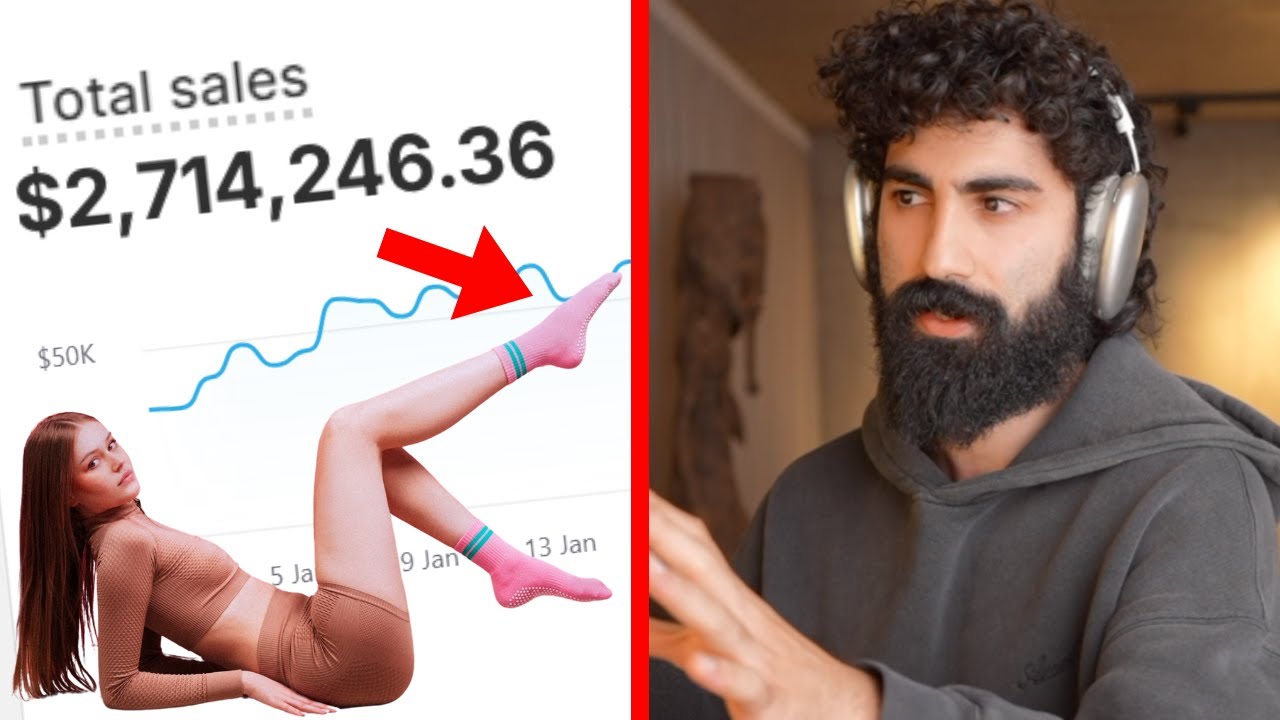
How to Build a $2.7M AI-Powered Brand from Scratch - Step-by-Step Guide
Learn the exact AI‑driven process Seena Rez used to discover an untapped product, create a resonant brand, shoot viral videos, and launch a $2.7 million store in 30 days. Follow each step, from market research to retargeting ads, with tools, costs, and pro tips.
How to Create AI-Generated UGC Ads with Arcads – Step by Step Guide for 2026
Learn to build high‑converting user‑generated‑content ads in minutes using Arcads AI. This guide walks you through script creation, actor selection, B‑roll generation, upscaling, and final export for flawless, trend‑ready ads.
How to Start a Profitable AI Business for Beginners - 4 Easy Models Explained
Learn step‑by‑step how to launch a low‑cost AI‑powered business in 2024. This guide covers faceless YouTube channels, AI commerce, affiliate marketing, and AI publishing, with tools, costs, and actionable tips.
How to Build a One-Person AI Business That Can Scale to $1M+ - Step‑by‑Step Guide
Learn how to launch a solo AI‑powered company from idea validation to automated operations, using affordable tools and proven frameworks that can generate six‑figure revenue in under a year.