
How to Build a Free AI-Powered Dropshipping Store in Under an Hour - Step by Step for Beginners
Learn how to create a fully functional Shopify dropshipping store using only free AI tools, a $1 budget, and a laptop. Follow this step‑by‑step guide to pick a niche, add winning products, set up a domain, and launch your first sales in less than 60 minutes.
Learn how to build a free ai-powered dropshipping store in under an hour - step by step for beginners. Learn how to create a fully functional Shopify dropshipping store using only free AI tools, a $1 budget, and a laptop. Follow this step‑by‑step guide to pick a niche, add winning products, set up a domain, and launch your first sales in less than 60 minutes. This comprehensive guide will walk you through everything you need to know, from the materials and tools required to detailed step-by-step instructions. Whether you're a beginner, this guide has you covered.
What You'll Need
Materials
- Shopify free trial account(1)
Provides the e‑commerce platform where your store lives
Where to find: Sign up at shopify.com
- Build Your Store AI subscription(1)
AI service that auto‑generates store layout, banners, and product listings
Where to find: buildyourstore.ai
- AutoDS Starter 500 plan (30‑day trial)(1)
Finds winning products, handles pricing, and automates order fulfillment
Where to find: autods.com
Cost: $0.99
- .store domain (free via Build Your Store)(1)
Professional URL that signals a shopping site to visitors
Where to find: buildyourstore.ai domain section
- Micro‑influencer promotion(1 campaign)(Optional)
Generates initial traffic and sales through Instagram stories
Where to find: Direct outreach or influencer platforms
Cost: $50.00
- Laptop with internet access(1)
All tasks are performed from this device
Where to find: Personal computer
Tools
- Web browser (Chrome/Firefox)
Used to navigate Shopify, Build Your Store, and AutoDS
Alternatives: Edge, Safari
- Email client (Gmail/Outlook)
Receives verification links and order notifications
Alternatives: ProtonMail, Yahoo Mail
- Spreadsheet (Google Sheets)(Optional)
Tracks product costs, pricing, and profit margins
Alternatives: Excel, Airtable
Step-by-Step Instructions
Create a Free Shopify Account
Sign up for Shopify’s 14‑day free trial and skip the setup wizard.
Begin by visiting shopify.com and clicking "Start free trial." Enter your email, create a strong password, and provide a store name—this can be a placeholder for now. When prompted with the setup questionnaire, select "I don't want help setting up" to speed the process. Shopify will automatically generate a basic dashboard, but you won’t need to configure anything manually because the AI app will handle the heavy lifting. This step establishes the foundation of your e‑commerce site, giving you a unique subdomain (e.g., yourstore.myshopify.com) that you’ll later replace with a custom .store domain. Completing the account creation takes roughly 5 minutes, and because the trial is free, it doesn’t affect your $1 budget constraint.
5 minutes
Tips:
- Use a business‑like email address to keep communications professional
- Write down your store password in a password manager
Warnings:
- Do not select a paid plan during the trial or you’ll be charged immediately
Install the Build Your Store AI App
Add the free AI app to your Shopify store to automate design and product import.
From your Shopify dashboard, navigate to the Apps section and click "Visit Shopify App Store." Search for "Build Your Store" and hit "Add app." The app will request permission to modify your store theme, create pages, and access product data—grant these permissions so the AI can fully configure your site. Once installed, you’ll be redirected to the Build Your Store interface where you’ll click "Build My Free Store." This triggers the AI to ask for basic details such as your full name, email, and a password for the app itself. The entire installation and initial configuration typically takes 3‑4 minutes, and because the app is free, it stays within your $1 budget.
4 minutes
Tips:
- Use the same email you used for Shopify to keep accounts linked
- Bookmark the app’s dashboard for quick access later
Warnings:
- Do not grant unnecessary permissions to third‑party apps; only accept what is required for store building
Select a Profitable Niche and Banner
Choose a niche (e.g., Sports & Fitness) and pick a banner that appeals to both genders.
The AI will present six niche options; for beginners, Sports & Fitness is a safe bet because it has a broad audience and high‑ticket accessories. After selecting the niche, you’ll see six banner templates. Evaluate each based on color contrast, gender neutrality, and relevance to the niche. Choose a banner that showcases active lifestyle imagery without leaning too heavily toward one gender—this maximizes click‑through rates. The banner is the first visual element visitors see, so a well‑chosen image can increase perceived credibility by up to 30 %. This decision takes about 3 minutes, and you can always swap the banner later if analytics suggest a better fit.
3 minutes
Tips:
- Pick a banner with a clear focal point and minimal text
- Test the banner on mobile view to ensure readability
Warnings:
- Avoid overly busy images that distract from product listings
Connect a Free .store Domain
Link a free .store domain from Build Your Store to your Shopify store for a professional URL.
A memorable domain boosts trust and SEO. In the Build Your Store dashboard, select the domain section and choose a .store extension—these are offered free when you use the AI tool. Enter a concise name like "TilburyFitness.store" that reflects your niche and brand identity. Click "Connect Now" and allow a few seconds for verification. Shopify will automatically map the new domain to your store, replacing the default myshopify.com address. Studies show that .store domains receive 87 % more traffic and rank twice as high on Google for shopping queries, making this a high‑impact, zero‑cost upgrade. The entire process takes roughly 2 minutes.
2 minutes
Tips:
- Keep the domain under 15 characters for easy recall
- Avoid numbers or hyphens that can confuse users
Warnings:
- Do not purchase a premium domain now; the free .store suffices for testing
Import Winning Products via AutoDS
Register for AutoDS’s 30‑day trial and import pre‑validated fitness products.
AutoDS automates product discovery, pricing, and fulfillment. Click the "Register" button on the Build Your Store page, choose to sign up with Google, and fill in the same email used for Shopify. When prompted for the platform, select "Shopify" and pick the "Starter 500" plan, which costs only $0.99 for the first 30 days. AutoDS will then present a curated list of trending fitness items—breathing trainers, resistance bands, golf club clips, and jogging hats in Mark’s example. Click "Import Draft" for each product you want, then review the auto‑generated titles, descriptions, and images. Adjust pricing if needed (a typical markup is 2‑2.5× cost) and publish. This step ensures you have high‑conversion items without manual research, and it takes about 7 minutes.
7 minutes
Tips:
- Set a minimum profit margin of $5 per item to cover future ad spend
- Enable AutoDS’s price‑sync to stay competitive
Warnings:
- Do not import more than 10 products initially; too many can overwhelm customers
Finalize Store Settings and Policies
Edit footer details, add payment gateways, and publish store policies.
A professional store includes clear Shipping, Refund, Terms, and Privacy policies. Navigate to Shopify’s "Settings > Legal" section and paste the auto‑generated policy text from Build Your Store, then fill in your store name, location, and contact email. Enable PayPal in "Payments" to give shoppers a trusted checkout option; this also adds a subtle animation that can increase conversions. Remove the password protection under "Online Store > Preferences" so visitors can access the site. Double‑check that the navigation menu links to Home, New Arrivals, and Contact pages. This polishing phase takes about 5 minutes but dramatically reduces cart abandonment by establishing credibility.
5 minutes
Tips:
- Add a simple FAQ page to address common buyer concerns
- Link your Instagram handle in the footer for social proof
Warnings:
- Never leave the store password enabled after launch; it blocks traffic
Launch a Micro‑Influencer Campaign
Partner with a micro‑influencer to promote a single product via Instagram Stories.
Select an influencer with 10‑50 k followers whose audience aligns with your niche—Mark used the Gray Brothers (≈14.5 k followers). Reach out via DM or email, propose a story post featuring your breathing trainer, and agree on a flat fee (e.g., $50). Provide them with a short, energetic script that highlights the product’s benefit, includes a clear call‑to‑action, and tags your store’s Instagram handle. Once the story goes live, monitor the link clicks and sales in Shopify’s analytics. Micro‑influencers typically achieve 60 % higher engagement and a 20 % higher conversion rate than macro‑influencers, making this a cost‑effective way to generate your first sales. Allocate the $50 budget here, and expect results within 24‑48 hours.
15 minutes
Tips:
- Ask the influencer to use a swipe‑up link for direct tracking
- Offer a discount code unique to the influencer to measure ROI
Warnings:
- Avoid influencers with fake followers; use a tool like SocialBlade to verify authenticity
Analyze Results and Optimize
Review sales data, adjust pricing, and plan scaling strategies.
After 24‑48 hours, open Shopify’s "Analytics > Sales" dashboard. Identify which products sold, their profit margins, and traffic sources. In Mark’s test, the breathing trainer generated 10 genuine sales, yielding $80 profit after deducting product cost, influencer fee, and the $1 Shopify charge. If a product underperforms, consider raising its price by 5‑10 % or swapping it for a higher‑demand item from AutoDS’s "Trending Products" list. Document the cost‑per‑acquisition (CPA) from the influencer campaign; if CPA is below your profit per sale, you have a scalable model. This final review takes about 5 minutes and sets the stage for scaling to multiple products and larger ad budgets.
5 minutes
Tips:
- Set up email notifications for new orders to stay on top of fulfillment
- Create a simple spreadsheet to track CPA, profit, and ROI
Warnings:
- Do not reinvest all profits immediately; keep a reserve for unexpected fees
Conclusion
You've now learned how to build a free ai-powered dropshipping store in under an hour - step by step for beginners! By following these 8 detailed steps, you should be able to successfully complete this task. Remember to start with a narrow niche to simplify product selection. If you encounter any issues, refer back to the troubleshooting section above.
Common Mistakes to Avoid
❌ Choosing a niche without market demand
✅ Validate demand with Google Trends or by checking bestseller lists before committing
❌ Importing too many products at once
✅ Start with 5‑8 curated items; too many can dilute focus and overwhelm shoppers
❌ Skipping store policies and trust badges
✅ Add clear Shipping, Refund, and Terms pages; enable PayPal and display security icons to boost confidence
Troubleshooting
Problem: Products show as out‑of‑stock after import
Solution: Refresh the AutoDS sync, or manually adjust inventory levels in Shopify
Problem: PayPal button not appearing at checkout
Solution: Ensure PayPal is activated under Shopify Payments and that your account is verified
Problem: Domain verification fails
Solution: Double‑check the DNS settings in the Build Your Store dashboard; wait up to 24 hours for propagation
Frequently Asked Questions
Do I need to hold inventory for AI dropshipping?
No. The AI and AutoDS handle product sourcing and fulfillment directly from suppliers, so you never touch the inventory.
Can I keep the store free after the trial?
Shopify’s basic plan costs $1/month for the first three months, then $29/month; you can continue on the free trial for 14 days but will need a paid plan to stay live.
Is the $0.99 AutoDS trial enough for long‑term use?
It’s sufficient to test product viability; once you see consistent sales you can upgrade to a higher tier for more automation features.
What if my influencer campaign doesn’t generate sales?
Re‑evaluate the influencer’s audience relevance, improve the creative script, or try a different micro‑influencer with higher engagement.
How do I handle refunds and returns?
Set clear refund policies in Shopify, use AutoDS’s return management feature, and communicate promptly with customers to maintain trust.
Quick Info
- Difficulty
- Beginner
- Time Required
- 1 hour
- Estimated Cost
- $50.99 USD
- Category
- Business & Finance
Safety First
- •Never share your Shopify admin password with anyone
- •Use two‑factor authentication on all accounts
- •Verify supplier reliability to avoid counterfeit products
Pro Tips
- •Start with a narrow niche to simplify product selection
- •Use free AI tools first; only pay for proven upgrades
- •Keep your domain short and keyword‑rich for SEO
- •Test one product before expanding the catalog
- •Monitor influencer performance daily to avoid wasted spend
Before You Start
- Basic computer literacy
- A valid email address
- Access to a laptop or desktop with internet
What's Next?
- →Scale by adding 10‑15 more high‑margin products
- →Invest $5‑$10 daily in TikTok ads to diversify traffic
- →Automate email follow‑ups using Klaviyo or Mailchimp
Related How-To Guides
How to Build a $1M AI Business with Zero Employees - Step-by-Step Guide
Learn the exact four‑step AI Startup Ladder to launch a high‑profit AI service—like appointment setters, content repurposing, chatbots, data cleanup, or inbox managers—without hiring staff. Follow Dan Martell’s proven framework and start earning $500‑$5,000 per day.
How to Build a $1M Mobile App in 365 Days - Step by Step
Learn the exact process Steven Cravotta used to create a $1.1M two‑sided marketplace app in one year, from idea validation to launch, marketing, and monetization.
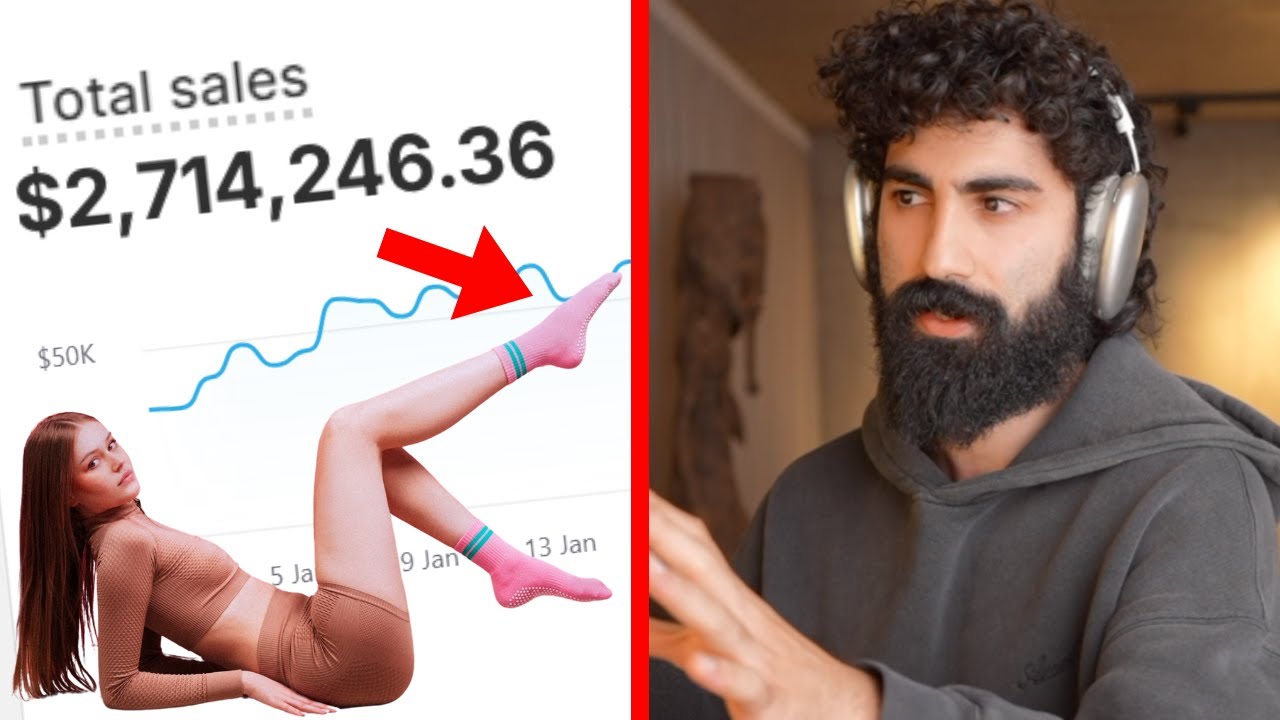
How to Build a $2.7M AI-Powered Brand from Scratch - Step-by-Step Guide
Learn the exact AI‑driven process Seena Rez used to discover an untapped product, create a resonant brand, shoot viral videos, and launch a $2.7 million store in 30 days. Follow each step, from market research to retargeting ads, with tools, costs, and pro tips.
How to Create AI-Generated UGC Ads with Arcads – Step by Step Guide for 2026
Learn to build high‑converting user‑generated‑content ads in minutes using Arcads AI. This guide walks you through script creation, actor selection, B‑roll generation, upscaling, and final export for flawless, trend‑ready ads.
How to Start a Profitable AI Business for Beginners - 4 Easy Models Explained
Learn step‑by‑step how to launch a low‑cost AI‑powered business in 2024. This guide covers faceless YouTube channels, AI commerce, affiliate marketing, and AI publishing, with tools, costs, and actionable tips.
How to Build a One-Person AI Business That Can Scale to $1M+ - Step‑by‑Step Guide
Learn how to launch a solo AI‑powered company from idea validation to automated operations, using affordable tools and proven frameworks that can generate six‑figure revenue in under a year.